
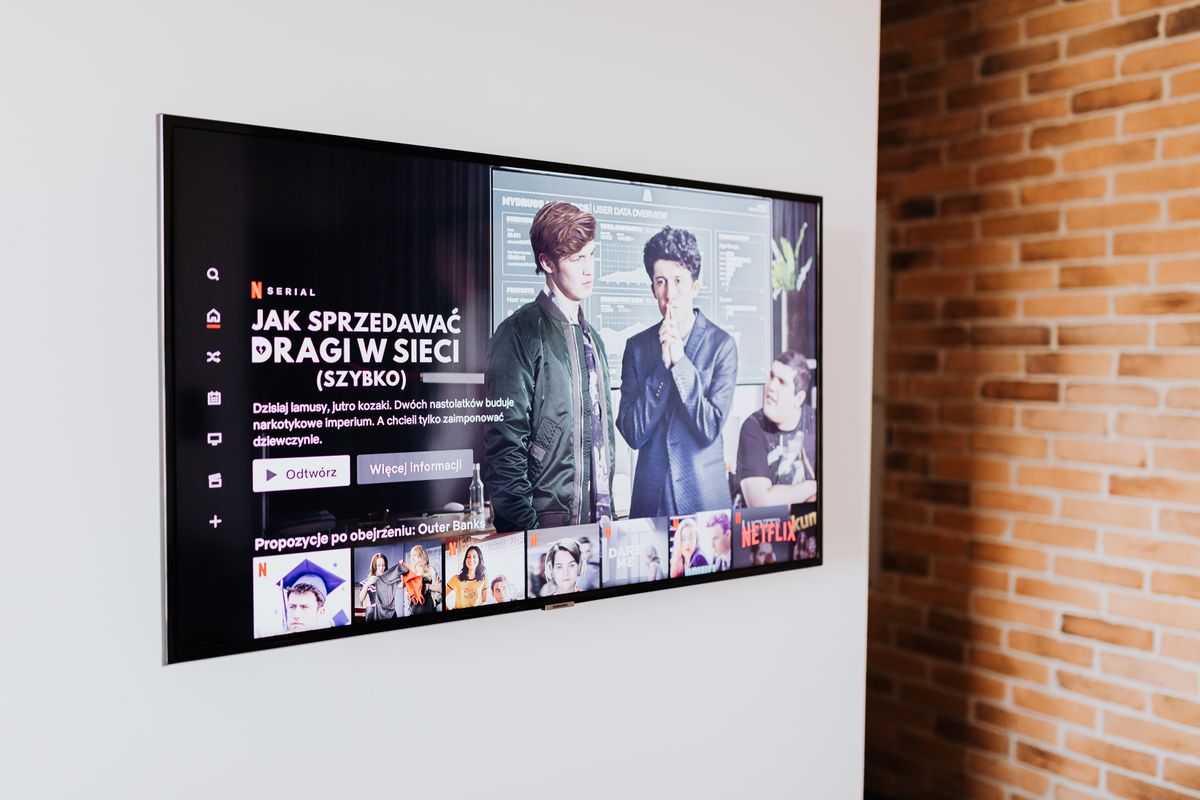
Mount a TV so the centre of the screen sits at your seated eye level — about 42 inches (107 cm) from the floor for most sofas. That puts the bottom edge of a 55-inch screen roughly 28 inches up and a 65-inch about 26 inches up. Bedrooms and standing areas go higher; over a fireplace, use a tilting or pull-down mount.
It’s the first question on almost every TV install: is this too high? More often than not, the honest answer is yes. The instinct is to hang a television like a picture, at standing eye height, which puts the screen well above where your eyes are when you’re on the sofa.
Here are the measurements we work from on site: the eye-level rule, a height chart, viewing distances, room-by-room adjustments, the fireplace question, and how your wall changes what’s possible.
The short answer: centre of the screen at seated eye level
For a TV you watch sitting down, the centre of the screen should sit at, or just below, your eye level from your usual seat. On most sofas that’s 40 to 44 inches (100 to 112 cm) from the floor, which is why 42 inches (107 cm) to the centre of the screen is a sensible living-room default.
The rule is about the centre of the screen, not the bottom edge or the bracket. A 43-inch and an 85-inch TV with the same centre height have bottom edges about 10 inches (25 cm) apart — which is why “mount it four feet up” advice fails on bigger screens.
Find your own number in five minutes
- Sit where you normally watch and have someone measure from the floor to your eyes. That is your centre-of-screen height.
- Halve your TV’s screen height (from the spec sheet or a tape measure) to locate the centre of the screen.
- Measure from the mounting holes on the back of the TV to the centre of the screen. The holes are rarely centred, and this offset decides where the bracket goes.
- Outline the screen on the wall with painter’s tape and live with it for a day before anything is drilled.
Measure on the sofa you actually watch from, not a dining chair. Deep cushions compress and most people recline, so eye height on a soft sectional can be several inches lower.
TV height chart by screen size
The chart assumes a standard 16:9 screen with its centre at 42 inches (107 cm). If your measured eye height is different, move every height by the same amount. Heights are to the visible screen; a thin bezel adds very little.
| Screen size | Bottom edge of screen | Top edge of screen | Comfortable seated distance (4K) |
|---|---|---|---|
| 43 inch | 31.5 in (80 cm) | 52.5 in (133 cm) | 1.3–1.75 m (4.3–5.7 ft) |
| 50 inch | 30 in (76 cm) | 54 in (138 cm) | 1.5–2.0 m (5–6.7 ft) |
| 55 inch | 28.5 in (72 cm) | 55.5 in (141 cm) | 1.7–2.2 m (5.5–7.3 ft) |
| 65 inch | 26 in (66 cm) | 58 in (147 cm) | 2.0–2.6 m (6.5–8.7 ft) |
| 75 inch | 23.5 in (60 cm) | 60.5 in (153 cm) | 2.3–3.0 m (7.5–10 ft) |
| 85 inch | 21 in (54 cm) | 63 in (160 cm) | 2.6–3.5 m (8.5–11.3 ft) |
Notice how low big screens come down: the bottom of an 85-inch screen sits only about 21 inches off the floor, which can collide with a media console. Raise it a few inches and add a little downward tilt; at the distance that size is watched from, comfort barely changes. If a soundbar goes underneath, leave a 2 to 3 inch (5 to 8 cm) gap so it doesn’t block the TV’s remote sensor.
Viewing distance vs screen size
For a 4K television, a comfortable seated distance is roughly 1.2 to 1.6 times the screen’s diagonal. Much closer and you’re turning your head to follow the picture; much further and you lose the detail you paid for. A 1080p screen wants a little more distance, because close up you start to see the pixel structure.
Distance also changes how much height you can get away with. Raise the centre of a screen 30 inches (76 cm) above eye level and, from 10 feet (3 m) away, you’re looking up about 14 degrees. From 8 feet (2.4 m), it’s about 17 degrees. Comfortable viewing is straight ahead or slightly down, which is why a high TV can feel fine in a great room and tiring in a compact condo.
How high to mount a TV in a bedroom, basement or kitchen
Living and family rooms
Use the eye-level rule as written. The common exception is the open-concept main floor found in so many 1990s and 2000s subdivision homes across the GTA, where the TV is watched from the sofa and glanced at from the kitchen island. Mount for the sofa, where the long viewing happens, and let a full-motion arm or a slight tilt handle the kitchen.
Bedrooms
In a bedroom you watch from the bed. Sitting up against a headboard, eye level usually lands around 50 to 60 inches (127 to 152 cm) from the floor, depending on the bed — and that’s where the centre of the screen belongs. If you mostly watch lying down, mount a little higher and tilt the screen down 5 to 10 degrees. The dresser below, plus whatever stands on it, sets the lowest the screen can sit.
Basement rec rooms
Basements pull the height down. Older GTA basements often have ceilings under 7 feet, bulkheads for ductwork and a low sectional, so seated eye height can be 38 inches (97 cm) or less. On exterior walls, the drywall is usually fixed to framing in front of the foundation, with insulation and a plastic vapour barrier behind it: anchor into that framing, and seal any opening you make in the vapour barrier.
Kitchens, home gyms, bars and garages
Anywhere you watch standing up, work from standing eye height: the centre of the screen around 60 to 66 inches (152 to 168 cm). In a kitchen, keep clear of upper cabinets and range-hood steam. In a home gym, use a fixed or tilting mount — an extended arm is something to walk into.
TV above the fireplace: the honest answer
It’s one of the installs we’re asked for most in GTA family rooms, and the one that most often compromises comfort. A typical mantel sits 54 to 60 inches (137 to 152 cm) high. Put a 65-inch screen above it and the centre lands roughly 75 to 80 inches (190 to 203 cm) up — 30 inches or more above seated eye level, or 14 to 17 degrees of looking up for the length of a film.
That doesn’t mean never. In many two-storey great rooms the fireplace wall is the only wall and the seating is far enough back. It does mean checking four things first:
- Heat. Run the fireplace for an hour, then hold your hand flat on the wall where the screen will go. If you can’t comfortably keep it there, it’s too hot for the TV. Check the fireplace manual for clearances and the TV manual for its operating temperature. Wood-burning fireplaces in older homes run hotter and sootier than gas units.
- What’s inside the chimney chase. In newer homes the “chimney” is usually a wood-framed box around a gas fireplace’s vent pipe. Bolts and cable holes must stay well clear of that vent.
- Whether the builder pre-wired it. Many subdivision homes have a recessed niche, outlet or empty conduit above the mantel, which largely decides the height for you.
- Tilt and mantel depth. A tilting mount helps. A pull-down (mantel) mount goes further: the screen lives above the mantel and pulls down and forward to near eye level when you watch. It needs solid anchoring and enough reach to clear the mantel shelf.
Our honest rule: if another wall works for the seating, use it and keep the fireplace wall for art. If the fireplace wall is the only option, use a tilting or pull-down mount and don’t compromise on anchoring.
Tilting, full-motion or fixed: matching the mount to the height
- Fixed (flat) mounts sit closest to the wall and look cleanest. Use one when the screen can go right at eye level with no window glare to fight.
- Tilting mounts angle the screen down, usually up to about 10 to 15 degrees. They suit screens that must sit higher than ideal — bedrooms, fireplaces, tall consoles — and cut glare from windows and pot lights.
- Full-motion arms swing out, turn and tilt, for corners and open-concept rooms watched from two places. Extended, they put the most leverage on the wall, so the wall has to be up to it.
- Pull-down mounts are the specialist option for over-fireplace installs.
Hiding the cables properly
The cleanest installs look as though the screen is floating. Getting there safely comes down to a few rules:
- Low-voltage cables — HDMI, network, speaker wire — can run inside the wall if they carry an in-wall rating such as CL2, CL3 or FT4 on the jacket.
- The TV’s power cord and extension cords are not rated to run inside a wall. The compliant routes are a certified in-wall power kit made for the job, or a new recessed receptacle behind the screen. Anything that extends a circuit is work for a licensed electrician under an ESA permit, which we arrange rather than do ourselves.
- A recessed media box lets plugs and adapters sit inside the wall, so a flush mount actually sits flush.
- On concrete, brick or condo demising walls, a slim raceway painted to match the wall is the tidy answer.
If you’re fishing cables anyway, add an empty flexible conduit from the TV down to the console. When the next streaming box or HDMI standard arrives, you pull a new cable through instead of opening the wall.
Why the wall changes the install
Height is a viewing decision, but the wall decides what’s possible. Here’s how the five wall types we mount on across the GTA affect placement and cabling:
| Wall type | Where you’ll find it | Cables in the wall? | What it means for placement |
|---|---|---|---|
| Wood stud and drywall | Most GTA houses built from the 1960s on | Usually | Most brackets let the screen slide sideways on the rail, so centre it on the furniture, not the studs |
| Metal stud and drywall | Condo suite partitions, some newer basements | Often | Lighter framing limits load: keep full-motion arms modest |
| Concrete | Condo demising, shear and exterior walls | No — raceway | Demising walls are fire separations; check drilling hours and building rules first |
| Plaster and lath | Older Toronto homes, pre-war and early post-war | Sometimes, with care | Settle the height before drilling — every extra hole is a plaster repair |
| Brick or block | Chimney breasts, older basements, feature walls | No — raceway | Masonry holes are permanent, so test the height with tape first |
Whatever the wall, the principle doesn’t change: the mount is carried by structure, never by drywall alone. Our TV mounting service in Toronto and the GTA covers the hardware we use on each wall type in more detail.
When to call a pro
Plenty of people mount a 43-inch bedroom TV on wood studs themselves and do it well. It’s worth bringing in help when:
- The screen is 65 inches or larger, or it’s going on a full-motion arm
- You’re mounting over a fireplace, on a chimney breast, or anywhere above about 6 feet
- The wall is plaster, brick, concrete or condo metal stud
- You want the cables hidden in the wall, or power behind the screen
- You’re in a condo with elevator bookings and drilling-hour rules to work around
Our crews come from custom-home building, so we treat a TV mount as part of the house. We agree the height with tape on the wall before drilling, anchor into structure, and leave the cables hidden and the room clean. Moving a TV? We can patch the old bracket holes in the same visit, alongside other jobs a handyman can handle. Send a photo of the wall and your screen size through our contact page for a free, flat-rate quote.
Frequently asked questions
For seated viewing, put the centre of the screen at your eye level from the sofa — typically about 42 inches (107 cm). For a 65-inch 16:9 screen, that puts the bottom edge roughly 26 inches (66 cm) off the floor and the top edge about 58 inches (147 cm). Over a tall console, raise it a few inches and add a slight downward tilt. Sit roughly 2 to 2.6 metres away.
Higher than in a living room, because you watch from the bed. Sitting up against the headboard, eye level usually falls around 50 to 60 inches (127 to 152 cm) from the floor, so that’s where the centre of the screen belongs. If you mostly watch lying down, mount a little higher and use a tilting mount angled 5 to 10 degrees down. Measure from your own bed, since mattress heights vary a lot.
Not automatically, but it’s a compromise. Above a typical mantel, the centre of the screen ends up 30 inches or more above seated eye level, which strains the neck over a long film. Heat is the other concern: if the wall is too hot to keep your hand on after an hour of the fireplace running, it’s too hot for the TV. A tilting or pull-down mount, and checking the fireplace’s clearances, makes it workable.
For a 4K screen, about 1.2 to 1.6 times the diagonal, which is roughly 2.3 to 3 metres (7.5 to 10 feet) for a 75-inch TV. Closer than that and you’ll be turning your head to follow the picture; much further and you lose the detail 4K offers. If your sofa sits further back, a 75-inch screen can also go a little higher without straining your neck.
Drywall on its own isn’t a structural material, so we don’t hang a television from it. Heavy-duty toggle anchors can carry a light screen on a fixed mount, but anything sizeable — and any full-motion arm, which levers against the wall every time it swings out — should be anchored into studs, or into masonry or concrete with the correct anchors. If the studs are in the wrong place, a mount with a sliding rail usually solves it.
Sources & further reading

Alan
Project Manager, FixitPlus Inc.
Alan has spent more than 20 years building in the Greater Toronto Area — custom homes from foundation to final trim, second-storey additions, and full-house renovations. He runs every FixitPlus job as the single point of contact, from the first quote through the final walkthrough, and writes the advice on this site from what actually happens on site.
- 20+ years of custom-home building across the GTA
- Project manager on new builds, additions and whole-home renovations
- Single point of contact on every FixitPlus job
Need this done at your place?
Get a free, no-obligation quote from a builder-trained crew.